
Release Note
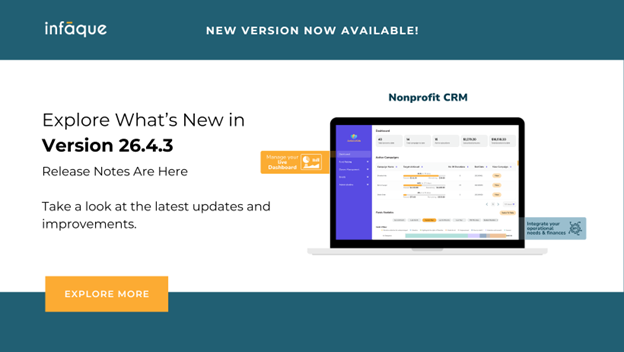
Infaque v26.4.3 - Menu Enhancement and Refund
Product update
We are excited to announce that 26.4.3 of Infaque is now available. At Infaque, we are committed to continuously enhancing your experience with every update.
We are pleased to share some exciting new enhancements to the system, designed to improve data management and donor insights.
What is New in Infaque v26.4.3
Menu Enhancements
We are enhancing the Infaque menu to make navigation more intuitive and efficient. By reorganizing items into clearer groupings, this update helps admins quickly access the tools they need and improves the overall donor management experience.
As part of this update, Uploads has been moved to the Dashboard to make upload functionality easier to locate, and the Links section has been moved to the top of the Fundraising menu for quicker access.
What's Changed
- Dashboard: Uploads have been moved under Dashboard for easier access.
- Fundraising: Causes, Campaigns, and Events Links are now positioned at the top of the fundraising section.
- Transactions: Interac Transactions are placed under the transactions menu, along with the contribution forecast where admins can view forecasted revenue.
- POS Management:
- POS App (coming soon)
- POS Devices
- Marketing:
- Email Campaigns
- UTM Analysis (coming soon)
- Email Templates
- Configurations
These changes are intended to streamline navigation and help your team work more efficiently across fundraising, POS, and marketing activities.
New Feature: Donation Refund Workflow
We have introduced an improved, standardized refund process for donor transactions to ensure faster processing and greater transparency.
What's New
- Donors are now eligible to receive a refund for the full donation amount, excluding payment processing fees and application usage fees.
- A structured internal refund workflow has been implemented for better tracking and accuracy.
How Refunds Are Processed
- Locate the donor's email in the contact database.
- Access the donor's transaction history.
- Select the relevant transaction.
- Click Refund to initiate the process.
Processing Time
- Refunds are typically credited back to the original payment method within 5 to 10 business days.
- Only donations that came in through Stripe are eligible for refund.